ERP integration requests usually start out innocently: “Just get the production counts into the ERP.” By the end of the meeting the list has grown: downtime reasons too, scrap too, a shift report too, and could we see it on a phone as well? That is not a bad thing; once a factory starts seeing its data, wanting more is only natural. The problem is trying to squeeze those requests into the middle of a job whose price and schedule are already fixed.
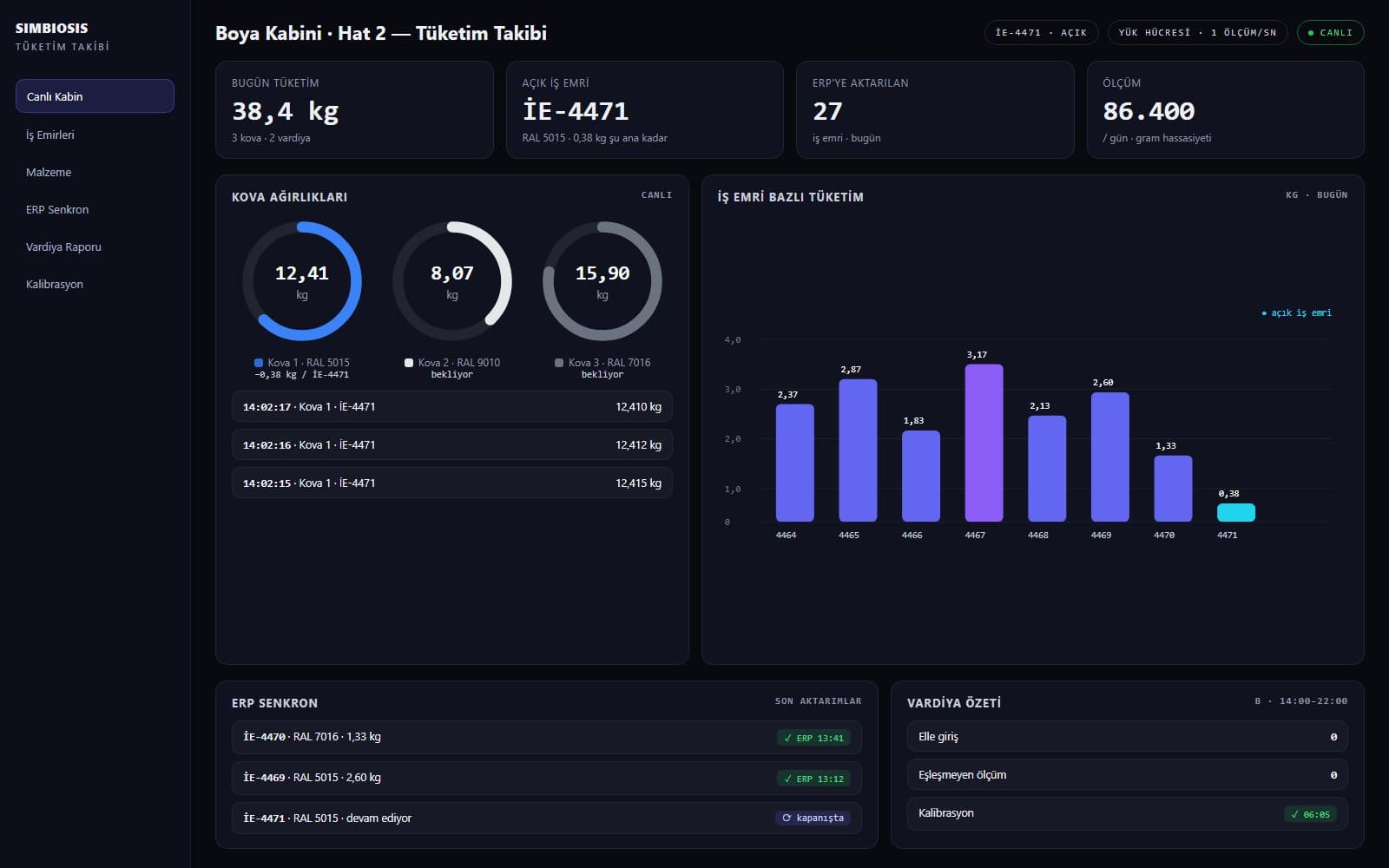
What follows is what we learned on projects that carry shop-floor data into the ERP. Just as on the project where we write paint consumption to the work order gram by gram, we asked the same questions on every one of them, again and again.
The specification: half the job is done before any code is written
First requests are always basic; then come the “and this, and that as well”. We don’t try to stop them; we put them on record. The specification has to spell out, item by item, which data is written to which ERP field, from which source and how often. What is out of scope, as much as what is in. We don’t go on site until we have planned very clearly what can be done and agreed on it.
How scope creeps, and how the specification holds it
01 / 04
The first request
Get the production counts into the ERP. A clear, measurable job that can be priced.
02 / 04
The list grows
Downtime reasons, scrap, a shift report, a mobile screen, stock. All reasonable; none written down, none priced.
03 / 04
The specification
Every request is written down with its data source, frequency and ERP field. If it is written, it is in scope; if not, it isn’t.
04 / 04
Phase 2
Requests left out of scope are not lost. They go to a second phase, under a separate quote; phase one finishes on time.
The ERP lives on the factory’s local network, and IT holds the keys
The ERP is usually a system running on the factory’s local network, and the factory’s IT team puts any software that touches it through set security procedures. That is why the first technical meeting of an integration is with the IT team, not the ERP consultant: which server do we reach, through which port, as which user, with which permissions?
Transfer to a dashboard or to the ERP usually runs over a REST API inside the same local network, with access granted by the IT team. Some corporate firms have very strict security protocols: closed ports, restricted user rights, antivirus that quietly blocks services, updates waiting for approval. Even whether your computer runs Linux or Windows brings its own problems. Before going on site, we go through this list with the IT team:
- Which server, which port, which route: a REST API, the database or file transfer?
- Who owns the service account, with what permissions; when, and by whom, will its password be renewed?
- Which machine will run the middleware: Linux, Windows or a virtual machine?
- Will the antivirus, firewall or update policy affect the service?
- Is there a test environment, or will we write straight to the live ERP?
- Will there be remote access for installation and maintenance, or does everything have to be done on site?
Getting data off the shop floor is a job of its own
Pulling data from a machine in the factory is a project separate from writing it to the ERP, and it is priced separately. If the machine’s own controller holds the data, it is read through the PLC; if not, sensors specific to the job are added: load cells, counters, encoders, current, temperature. Each sensor has its own communication protocol, and a PLC or an industrial PC collects the data. Choosing the right equipment is the heart of the job: a sensor more precise than needed eats the budget; one that falls short eats the data.
The data path from shop floor to ERP
01 / 05
Sensor
Data is born on the shop floor: a load cell, a counter, an encoder. Each has its own communication protocol.
02 / 05
PLC or industrial PC
The layer that collects the sensor data, timestamps it and buffers it. This is where the right equipment for the job is chosen.
03 / 05
Factory network and IT
Data passes through the factory’s local network. The IT team grants the port, the user and the permissions; this is where you run into strict protocols.
04 / 05
Middleware and REST API
Here the shop floor’s language is translated into the ERP’s: the record “bucket 3, 12.410 kg” becomes “work order 4471, 0.38 kg”.
05 / 05
ERP
The record lands in the structure the ERP expects, at the moment it expects it. The cost is ready as soon as the work order closes.
Are we only reading, or are we running the machine?
This is the most important question to ask. If all we do is pull the data, the software is an observer standing beside the machine; even if it stops, production does not. But if the software is part of the machine’s operating logic (sending recipes, starting work orders, releasing a lock), it is now part of production. Failure scenarios, safety and test coverage then move to a completely different scale.
Read only
- Data flows one way, from machine to ERP
- If the software stops, production carries on; the data is just late
- Low risk, narrow test scope
Part of the process
- The software also sends commands to the machine
- If the software stops, the line is affected
- Extensive failure scenarios, safety and acceptance testing
The two should never be sold under the same quote. We ask the customer this outright in the first meeting and write the answer into the specification.
Industrial software runs 24/7, and something goes wrong 24/7
Office software shuts down at the end of the working day; software on the shop floor has no such luxury. Device communication drops, the ERP server goes down for maintenance, a network switch restarts, a sensor sends a meaningless value. Every one of these scenarios has to be designed in from the start: data must be buffered without loss, sent in order when the connection returns, and never written twice.
What happens when the connection drops
01 / 04
Normal flow
Data reaches the ERP from the shop floor within seconds.
02 / 04
Connection lost
The network or the ERP server is not responding. The middleware doesn’t lose the data; it buffers it locally.
03 / 04
Someone is told
The person the company has named, through the channel it has chosen: an email, an SMS or an alert on the dashboard.
04 / 04
Connection restored
The buffered records are sent in order, with no duplicates. Not a single measurement was lost.
When something goes wrong, the warning has to go out the way the company wants it: an email for some, an SMS for others, a red line on the dashboard for others still. “There was an error, we logged it” means nothing on the shop floor; nobody reads that log.
Weigh up what the company actually wants
No two companies want the same integration. Some just want to stop keying in the month-end report by hand, some want to watch production live, some want to run the machine from the work order. On the software side there are plenty of options; the job takes its shape from the customer. We weigh up the company’s overall need first and choose the architecture to match. An integration that starts small and grows almost always turns out healthier than one that tries to do everything from day one.
In an ERP integration, the most expensive line is the one that never made it into the specification.
If you are planning an ERP integration, we ask three things in the first meeting: which decision will this data feed, where does that data sit on the shop floor today, and who on your IT team will we be talking to? With those three answers we can pin down the scope and the quote.